Add your operators
In this lesson you learn
Operators are the people who run the jobs. Upload the list you already have, or add them one by one. Operators never get an email from DOVA.
After this lesson
You will be able to load the operators of your plant, so every job shows who ran it.
Before you start
Create your departments first, so each operator can be put in the right one. Your file needs one row per operator. Only two columns are required:
- First name — the given name.
- Last name — the family name. A row with no last name is skipped.
Every other column is optional: Operator ID, Departments, Shift, Phone, Email and App access.
Operators are not app users. Supervisors and managers are added on the Team & Invitations page, not here.
Step by step
Open the import screen
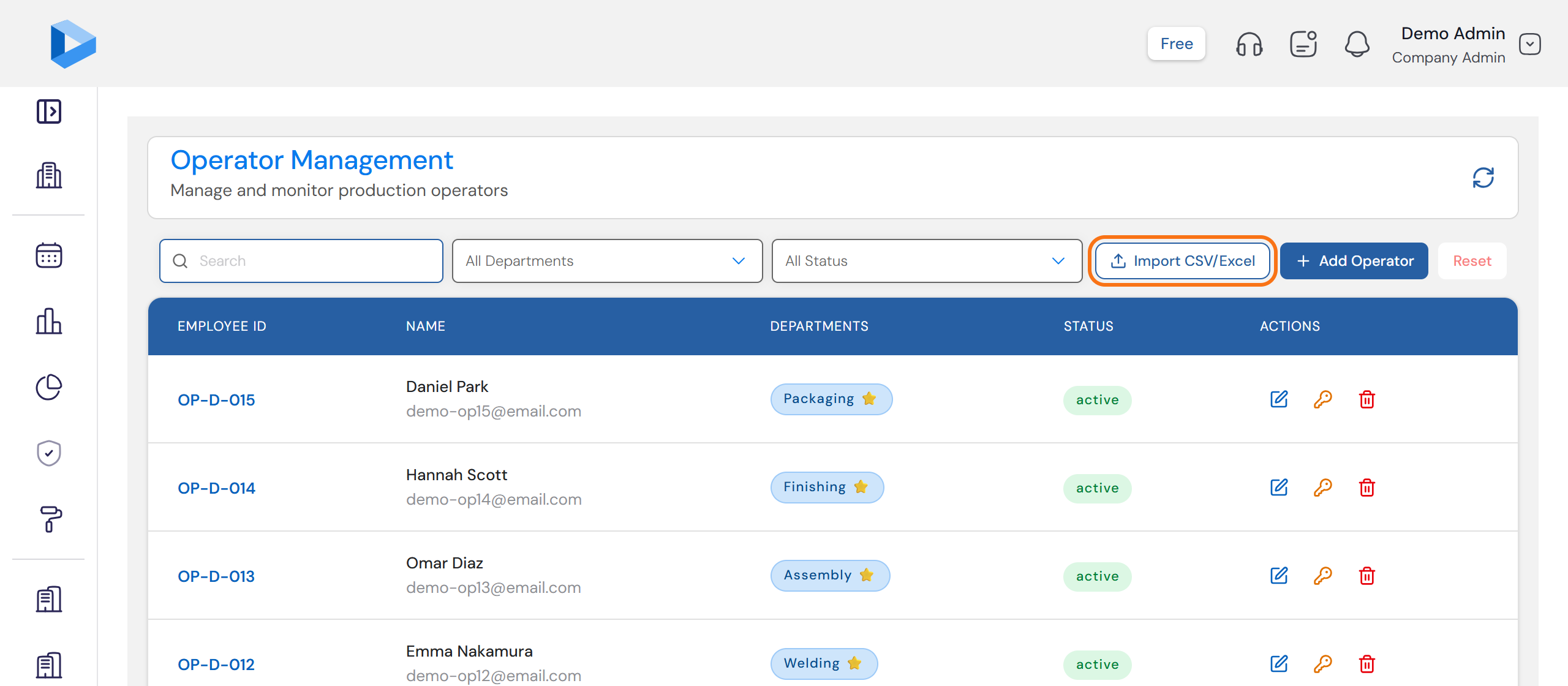
Open Operators and click Import CSV/Excel. No file yet? Click Download sample file on the import screen. It is a made-up list that shows the right shape.
Pick the plant and choose your file
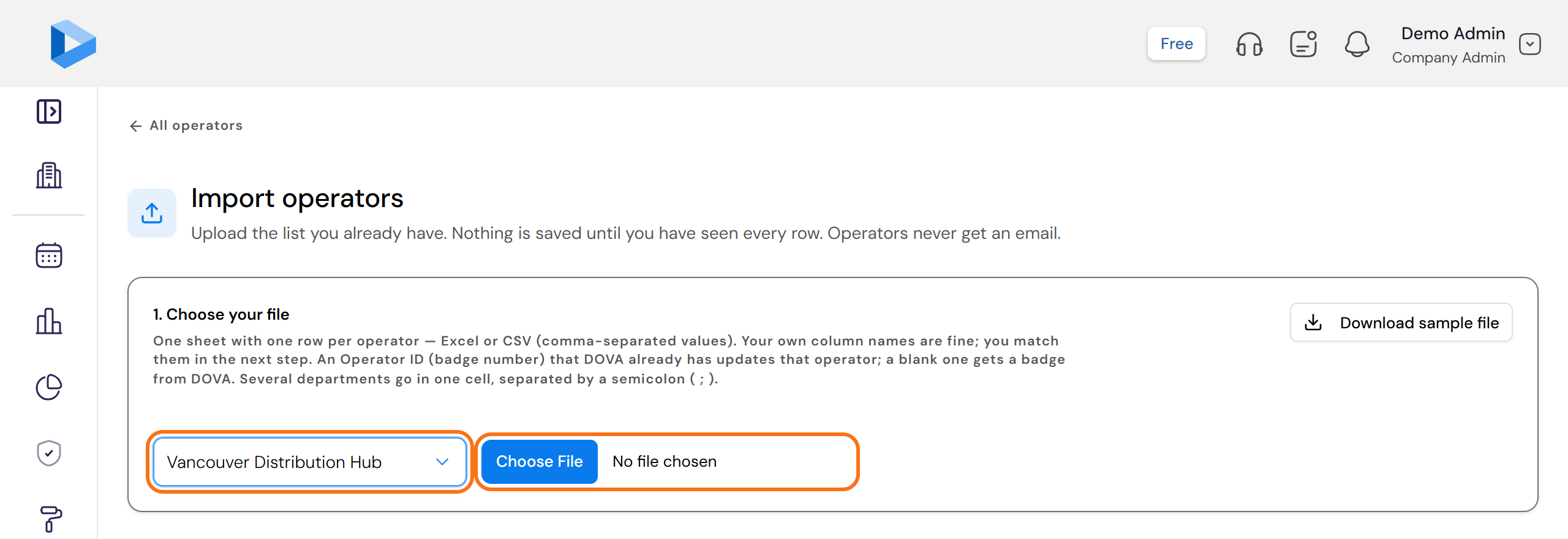
Under 1. Choose your file, pick the Plant first. One file loads one plant. Then choose your Excel or CSV (a plain text spreadsheet) file. Your own column names are fine.
Match your columns
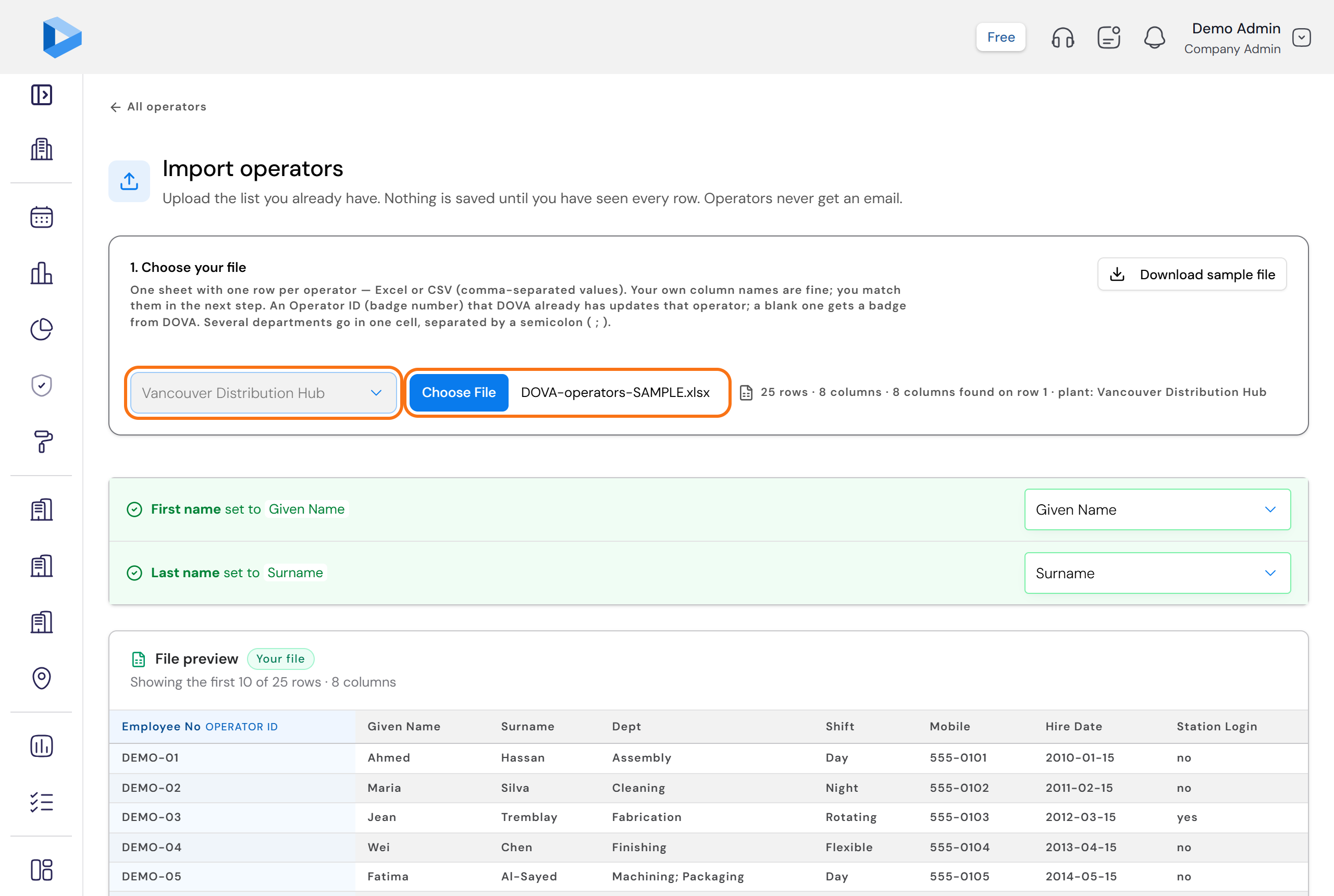
DOVA lists your columns and guesses the match from their names. For each of your columns, pick the operator field it fills in. For a column DOVA has no field for, pick Don't import this column. When First name and Last name are matched, click Check rows.
Check before import
DOVA shows Check before import: how many operators are new, how many are already in DOVA and will be updated, and every row with a problem. Nothing is saved yet, and no email is sent to anyone.
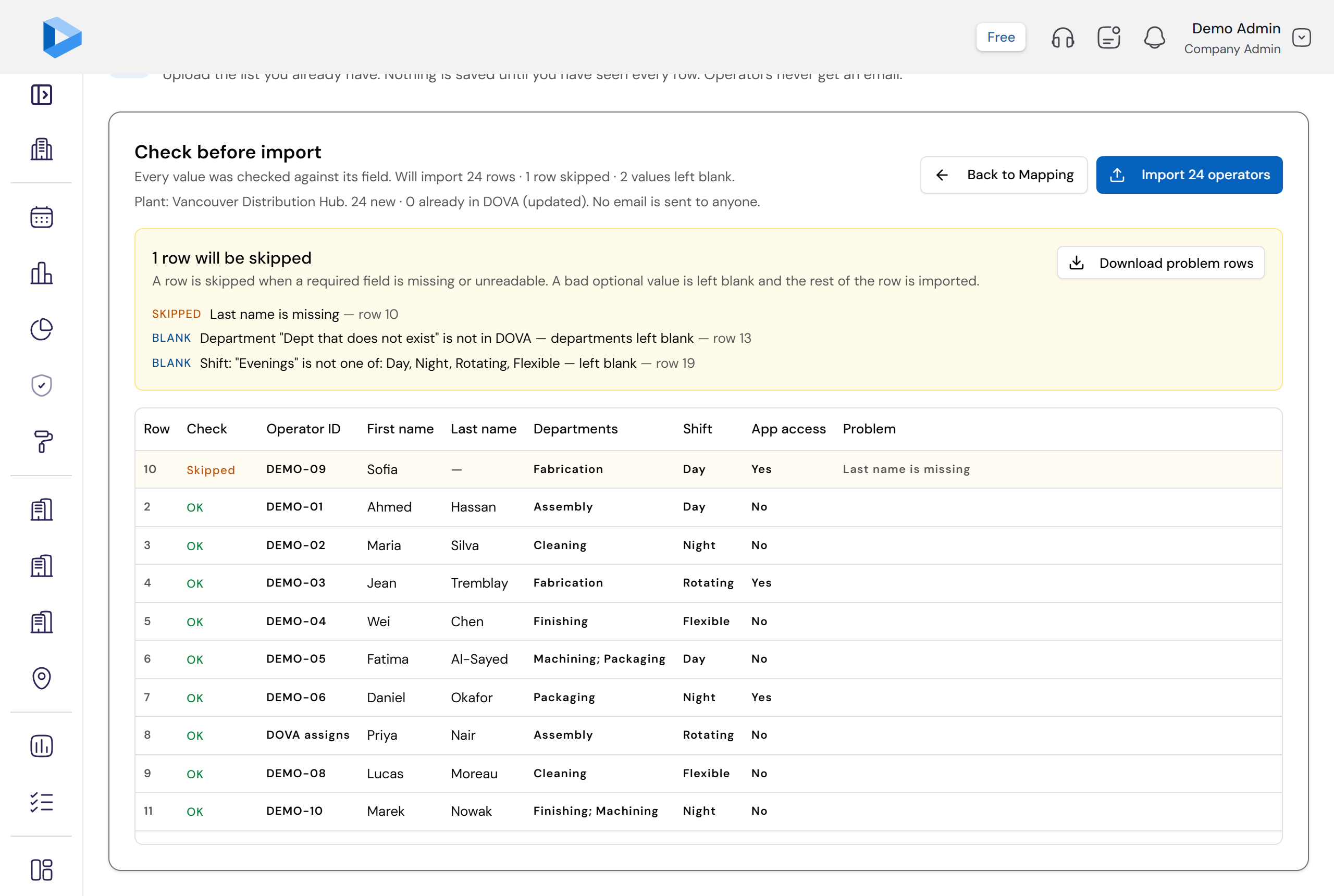
- Skipped — a required value is missing. The row is left out.
- Blank — an optional value could not be used, for example a department that is not in DOVA. The operator is imported and that one field stays empty.
When the check looks right, click the Import button. It shows how many operators it will import.
Or add one by hand
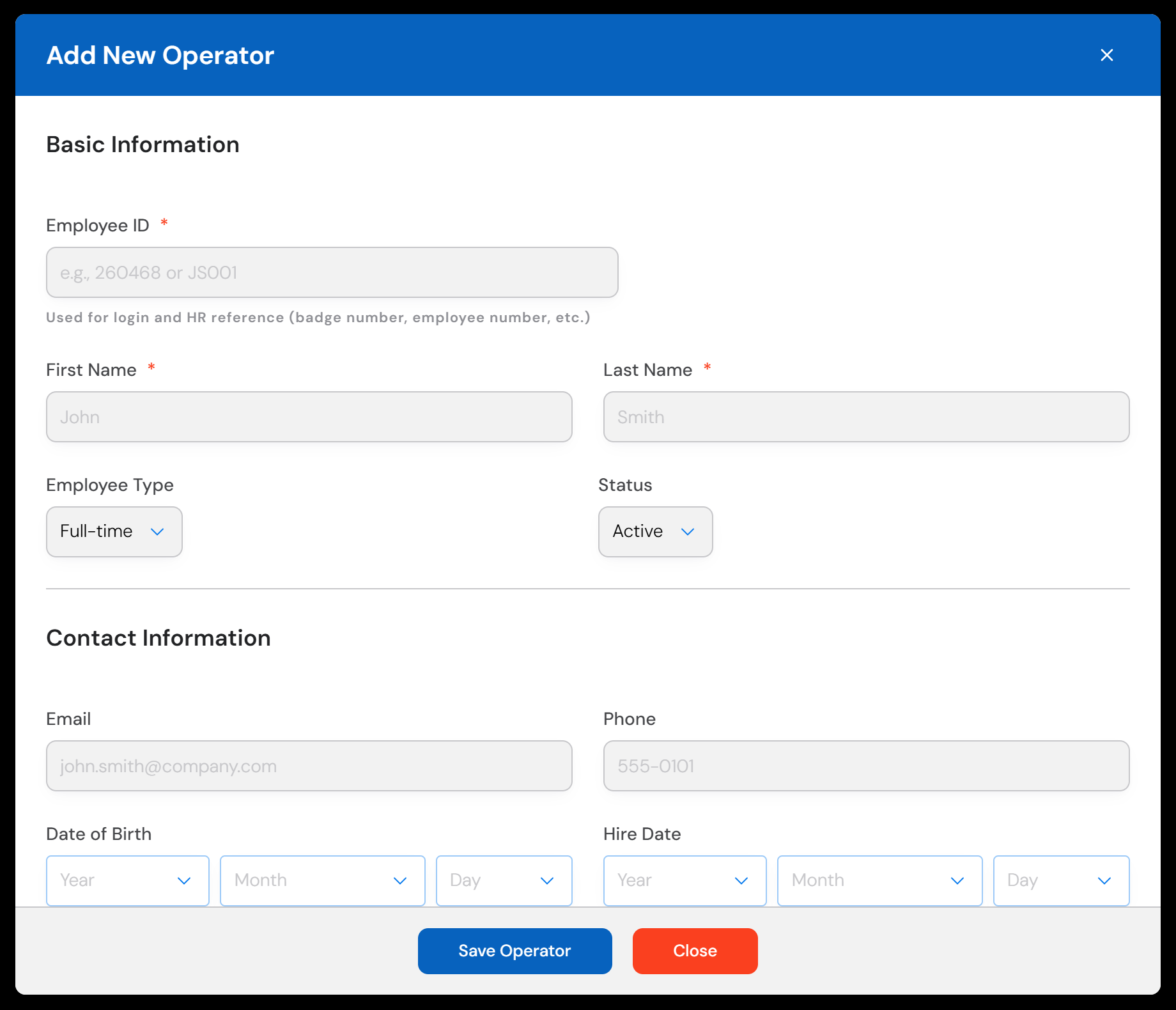
On the Operators page click Add Operator. Fill in Employee ID, First Name and Last Name, tick the operator's Departments, and click Save Operator. If the operator will log in at a station, also type an Initial Password. They must change it at the first login.
You are done
Click See the operators. Your operators are listed with their departments. In the setup guide, this step now shows a green tick. The Production part of your setup is complete.
Questions people ask
Do operators get an email or an invitation?
No. An upload never sends an email to anyone. An email address is optional and is kept for the record only.
What is the Operator ID?
It is the badge number the operator uses at the station, for example OP-101. It must be unique in your company. If you leave it blank in your file, DOVA gives the operator a badge.
What if I upload the same file again?
Nothing is doubled. An Operator ID that DOVA already has updates that operator. The Check rows screen shows how many are new and how many are updated before you import.
How does an operator get a password?
In your file, put yes in the App access column. After the import, DOVA shows a temporary password for each of these operators once. Click Download list and keep it safe. The operator must change it at the first login.
An operator works in two departments. How do I enter that?
Put both names in the Departments cell with a semicolon between them, for example Welding; Assembly. The first one is the main department.
Need more help?
Contact customer support with your question. We reply within one business day.
contact@dovamfg.com