Link your schedule data
In this lesson you learn
Your production schedule is the list of jobs your plant has to run. Upload the file your planner already uses, or link it from Google Drive so it updates by itself.
After this lesson
You will be able to bring your production schedule into DOVA, so every job is ready to start on the floor.
Before you start
Your file needs one row per work order and a heading row on top. Only two columns are required:
- Work Order ID — your own number for the job. It must be different on every row.
- Release Date — the day the job can start.
Every other column is optional: Part Number, Order Quantity, Department, Machine, Operator, Due Date, Lot Number and Status.
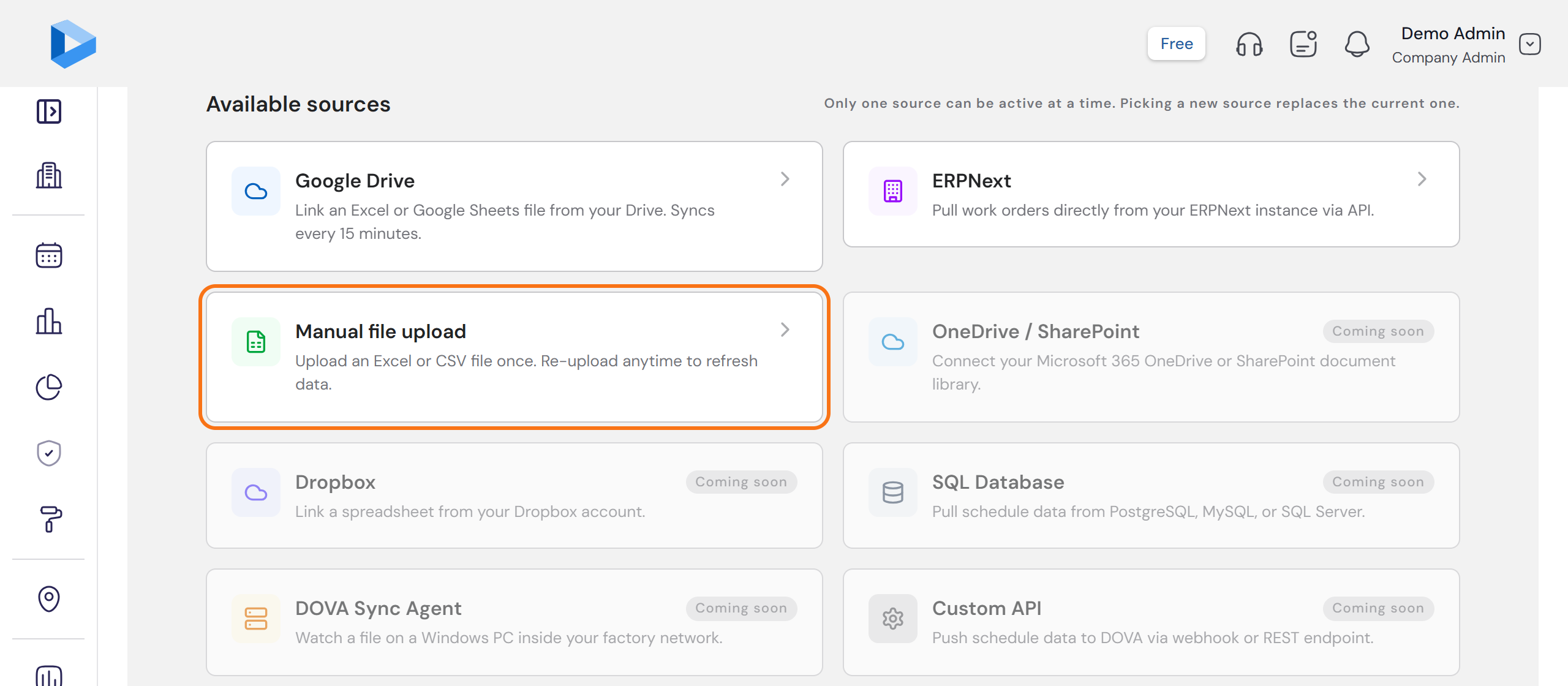
Only one source can be active at a time. Picking a new source replaces the current one.
Step by step
Open Data Sources
Open Data Sources. Under Available sources you see where a schedule can come from. No file yet? Scroll down to Sample files and download the Schedule template. It is an empty file with the right headings.
Upload your file
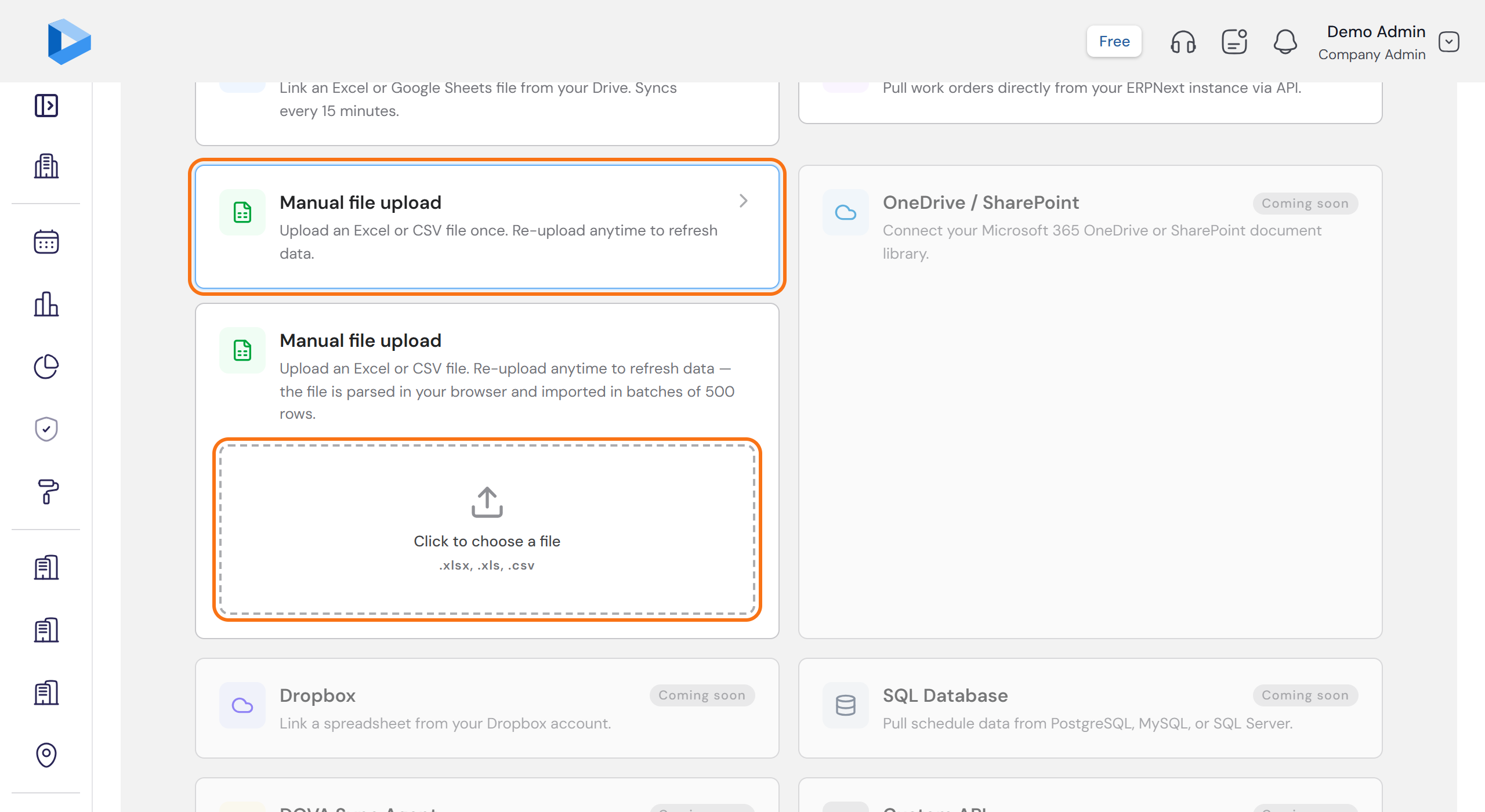
Click Manual file upload, then Click to choose a file. DOVA accepts .xlsx, .xls and .csv files. When the file is read, click Preview and map columns.
Match your columns
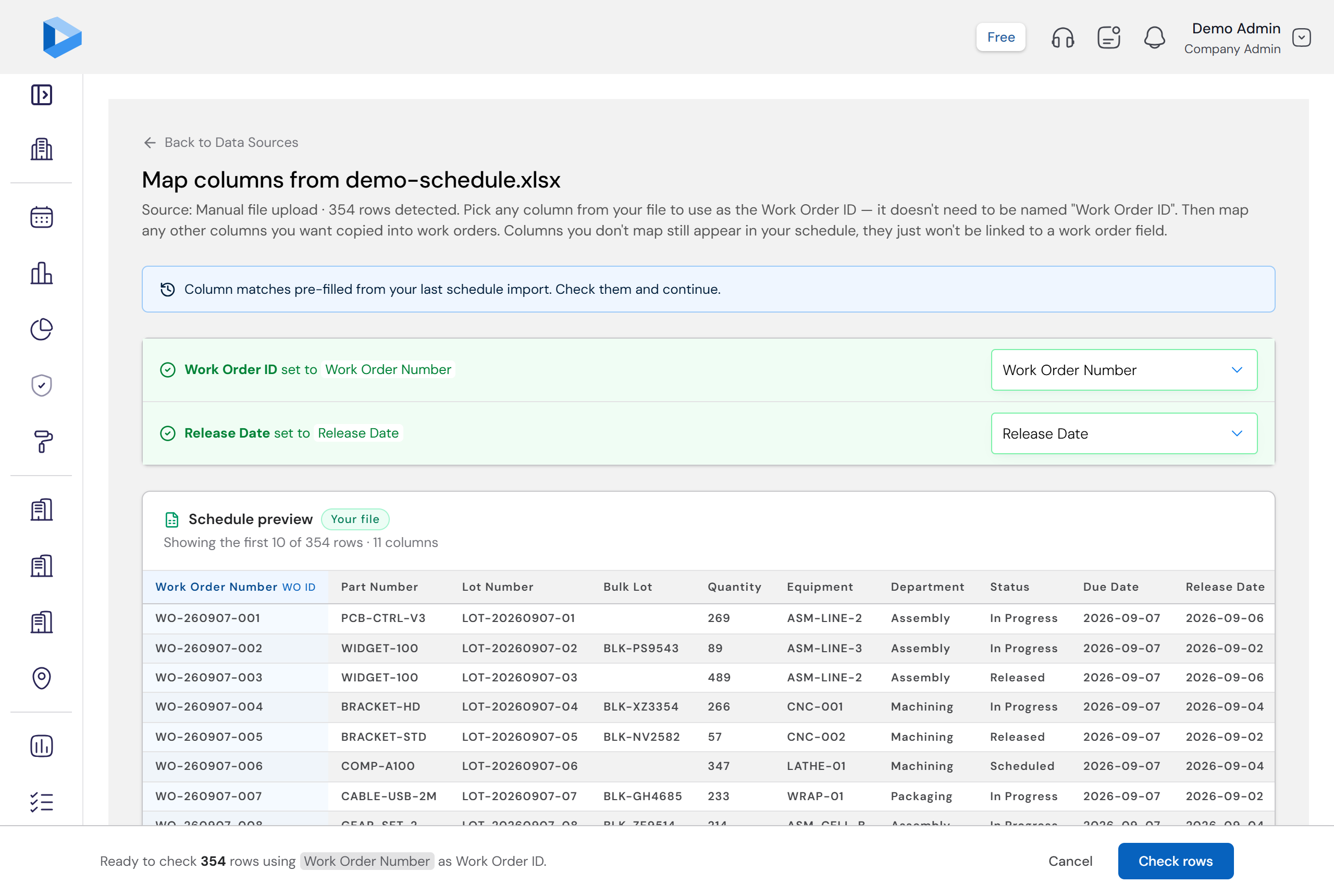
DOVA lists your columns and matches the ones it recognises by itself. For each of your columns, pick the work order field it belongs to. For a column DOVA has no field for, pick Keep in schedule only. When Work Order ID and Release Date are matched, click Check rows.
Check before import
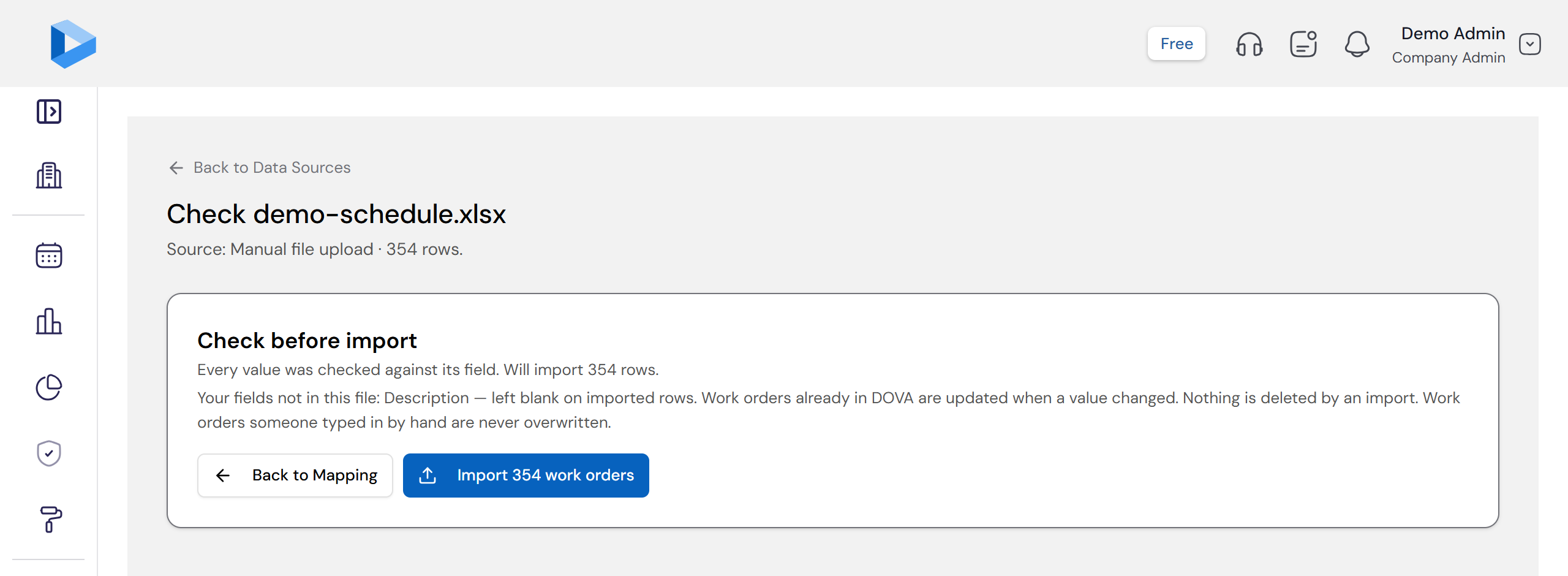
DOVA shows Check before import: how many work orders will be imported, how many rows will be skipped, and the reason for each one. Nothing is saved yet.
- Skipped — a required value is missing or cannot be read. The row is left out.
- Blank — an optional value could not be read, for example a date DOVA cannot understand. The work order is imported and that one field stays empty.
When the check looks right, click the Import button. When it is done, click Open the schedule.
Or link it so it updates by itself
If your planner keeps the schedule in Google Drive, click Google Drive, then Connect Google Drive, and sign in to Google. Click Pick a file and choose your Excel or Google Sheets file. You match the columns once, the same way. After that DOVA reads the file every 15 minutes.
You are done
Your jobs are on the Schedule page. The top of Data Sources shows your Active source. In the setup guide, this step now shows a green tick with the number of schedule rows.
Questions people ask
Will a new upload delete the jobs that are already in DOVA?
No. An import only adds work orders or updates them. It never deletes. Jobs that someone typed in by hand are protected too.
My column names are different from the names in DOVA. Is that a problem?
No. On the match step you tell DOVA which of your columns is which field. DOVA remembers your choice for that file, so the next upload goes faster.
My file has columns DOVA has no field for. Do I lose them?
No. Pick Keep in schedule only for that column. It still shows in your schedule. It is just not linked to a work order field.
Can I have two sources at the same time?
No. Only one source can be active at a time. Picking a new source replaces the current one.
How often does a linked Google Drive file update?
Every 15 minutes. You can also click Sync now on the Data Sources page to update it at once.
Need more help?
Contact customer support with your question. We reply within one business day.
contact@dovamfg.com